Home
Your personalized starting point in Insight Cloud.
Overview
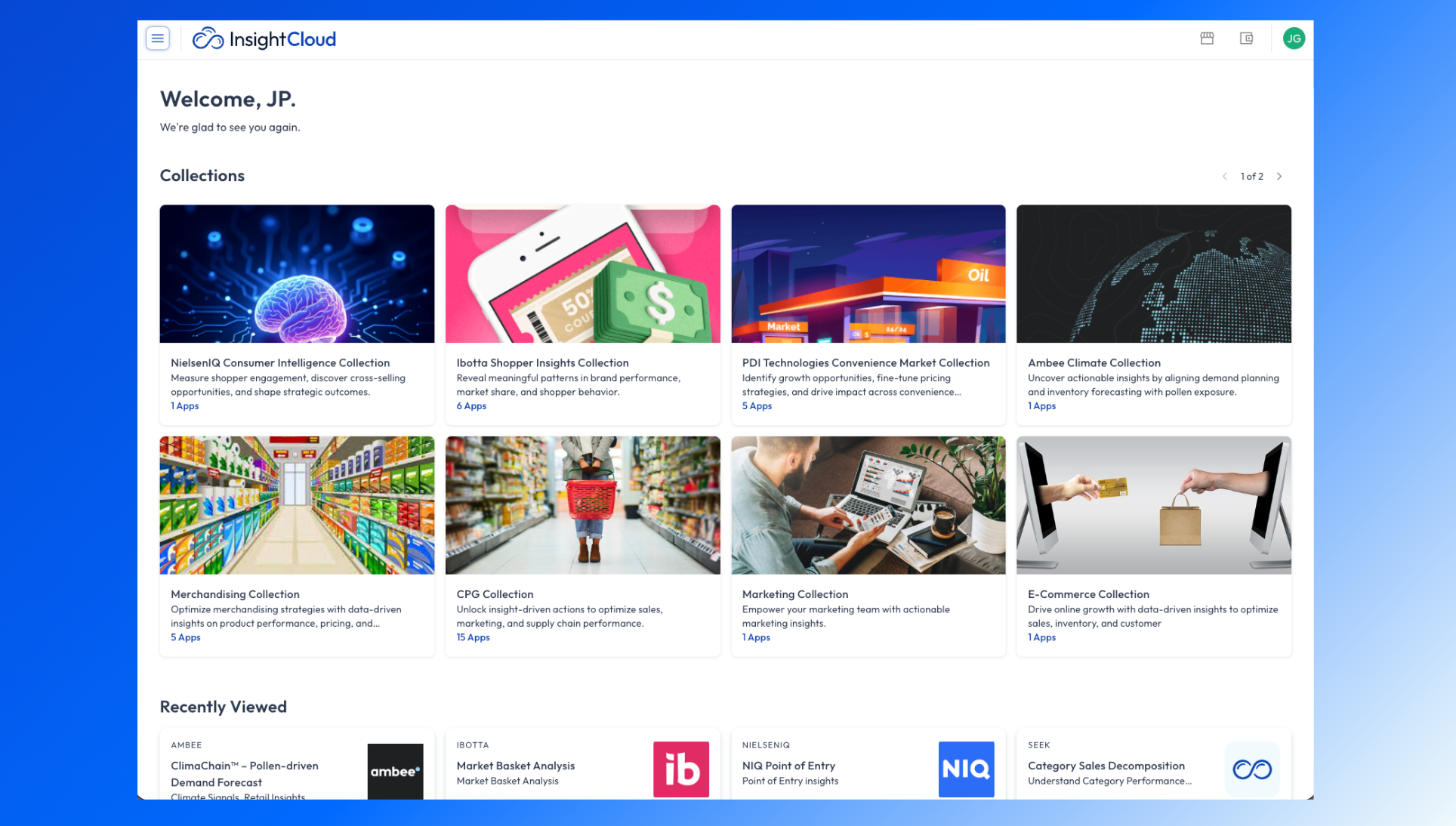
The Home page is your starting point every time you log into Insight Cloud. It provides a personalized glimpse into the collections, apps, and workflows that matter most to you.
Whether you’re launching apps and reviewing your favorite content or navigating to your most important collection, Home helps you get there faster.
What you’ll find on the Home page
Home brings together your most important work in one place:
Collections
Collections give you fast access to the apps you use most.
Shows apps you’ve favorited or that are curated for your team
Groups related apps to match your workflow
Reduces time spent searching or navigating the catalog
Recently viewed apps
Quickly return to what you were working on last.
Displays recently launched apps
Helps you resume analysis without retracing steps
Apps you might be interested in
Discover relevant apps based on your role, usage, or available subscriptions.
Highlights apps you may not be using yet
Makes it easier to explore new workflows without browsing the full App Store
Using Homepage
Review recent apps or collections to continue previous work.
Check recommended apps for relevant workflows.
Use shortcuts to jump into the App Store, My Apps, or Data.
⚡ ProTip: View our article how to set-up your own custom Collections
When to use it
Start here to understand where your work should focus today.