Concepts
Foundational ideas behind Insight Cloud and the terms used across the platform.
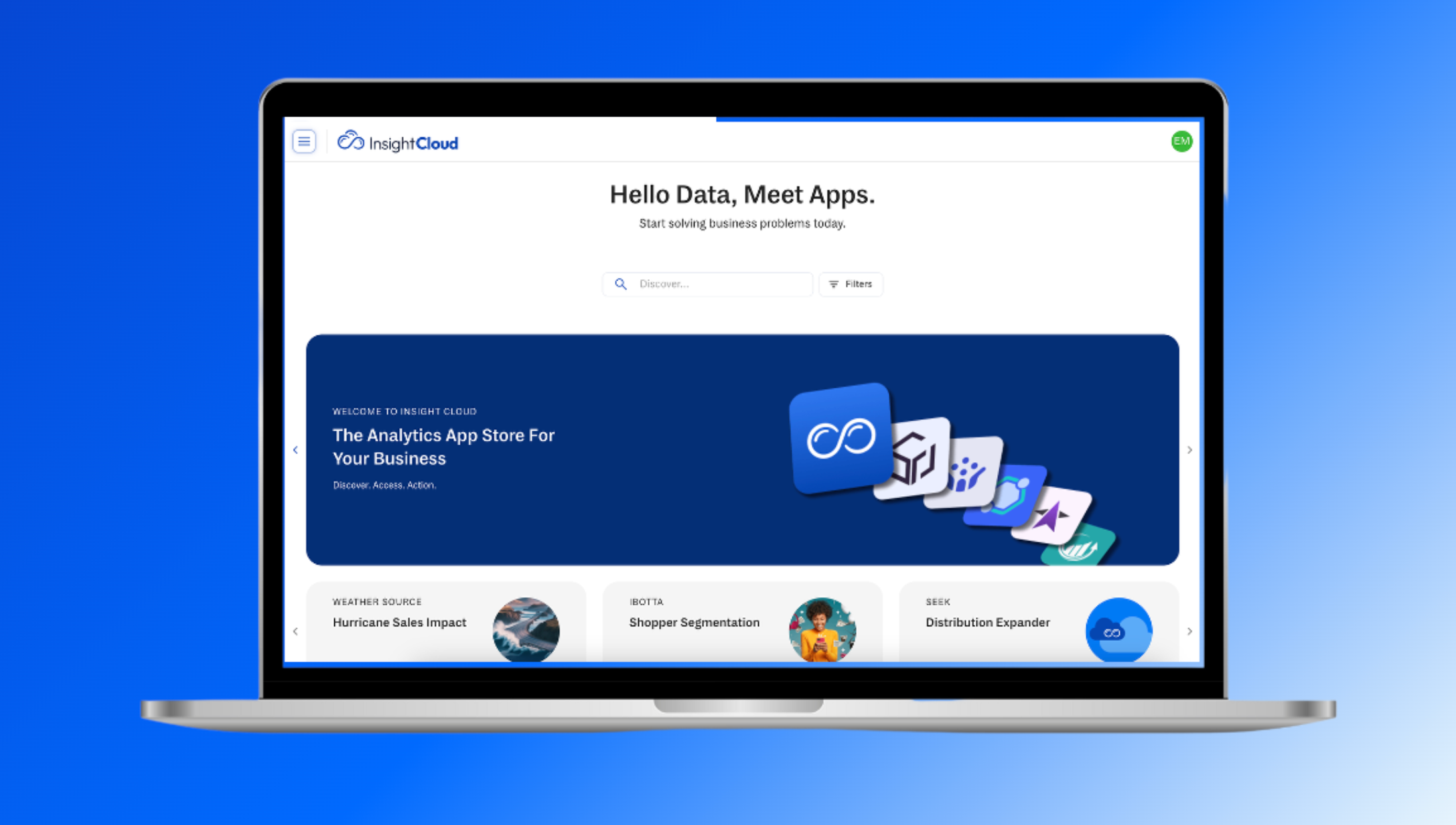
These are the foundational ideas behind Insight Cloud, the terms used throughout the help center and across the platform. Each entry is a quick definition; follow the → See link for the full guide where one exists.
Insight Cloud
Insight Cloud is the intelligence platform for the modern analyst. It brings together apps, proprietary data, AI, and access controls into one workspace so your organization can get insights and answers without managing the underlying infrastructure and build.
Workspace
A workspace is your organization's dedicated environment inside Insight Cloud. Everything your team uses - apps, data, AI features, permissions, subscriptions, billing, and user settings lives inside your workspace.
Nothing is shared across organizations unless explicitly enabled through roles or permissions.
Subscriber
A Subscriber is anyone in your organization who uses Insight Cloud. What a Subscriber can see and do depends on their role, the apps the organization subscribes to, and the data access scoped to those subscriptions.
Publishers
Publishers create and maintain the apps available on Insight Cloud. They design the workflows, define the metrics, and ship updates to the apps your organization subscribes to. Each publisher owns the evolution and reliability of their app.
Apps
Apps are the analytics experiences inside Insight Cloud. Each app contains a complete workflow built around a specific question or use case: dashboards, visualizations, metrics, and the data model behind them.
Apps don't store their own data. They reference datasets in your workspace.
Some apps have variants — different configurations of the same app for different markets, brands, or use cases.
→ See App Basics and App Variants.
App Store
The App Store is where Publishers list the apps and collections available to subscribe to. Your organization browses, subscribes, and manages access from there.
→ See App Store Basics.
Collections
Collections are groups of apps bundled together. There are two kinds:
Personal collections — apps you organize on your Home page for your own workflow
Publisher collections — pre-built bundles available in the App Store, designed to solve broader workflows or end-to-end use cases
Subscribing to a publisher collection grants access to every app inside it.
Subscriptions
Subscriptions are the apps and collections your organization has access to. Each subscription defines what's available, how it's billed, and who in your organization can use it.
→ See Subscriptions.
Wallet
Wallet is where your organization manages billing and payment for subscriptions. Subscribers see relevant Wallet information for the apps they have access to.
→ See Wallet.
Data
The Data section gives you a unified view of every dataset powering the apps you have access to. Apps reference these datasets dynamically — when data refreshes, app insights update with it.
→ See Data.
Intelligence
Intelligence is Insight Cloud's AI assistant. It works across the apps you have access to and provides:
Agent-driven analysis: explanations, trends, and recommendations across your data
Platform guidance: help finding apps, understanding features, and navigating Insight Cloud
Intelligence respects your role and permissions. It only analyzes data you can see.
→ See Intelligence.
Teams
Teams group users inside a workspace so app access can be managed at scale. Instead of assigning apps to individuals, admins assign them to a team and every team member inherits access.
Teams work alongside roles. Roles define what a user can do; teams define which apps they have access to.
→ See Teams.
Roles
Roles define what a user can see and do across Insight Cloud — which apps they can open, which data they can view, which AI features they can use, and which admin controls they have. Insight Cloud supports custom roles tailored to your organization's structure.
→ See Roles.